Your new online and mobile banking experience starts june 2026

A new online and mobile banking experience is coming June 24, 2026. Designed for both personal and business customers, this modern platform offers seamless access across devices, mobile deposit, quick transfers, bill pay, account alerts, and an easy and secure login. Same tools, just elevated and more user-friendly.
New Online and Mobile Banking Images

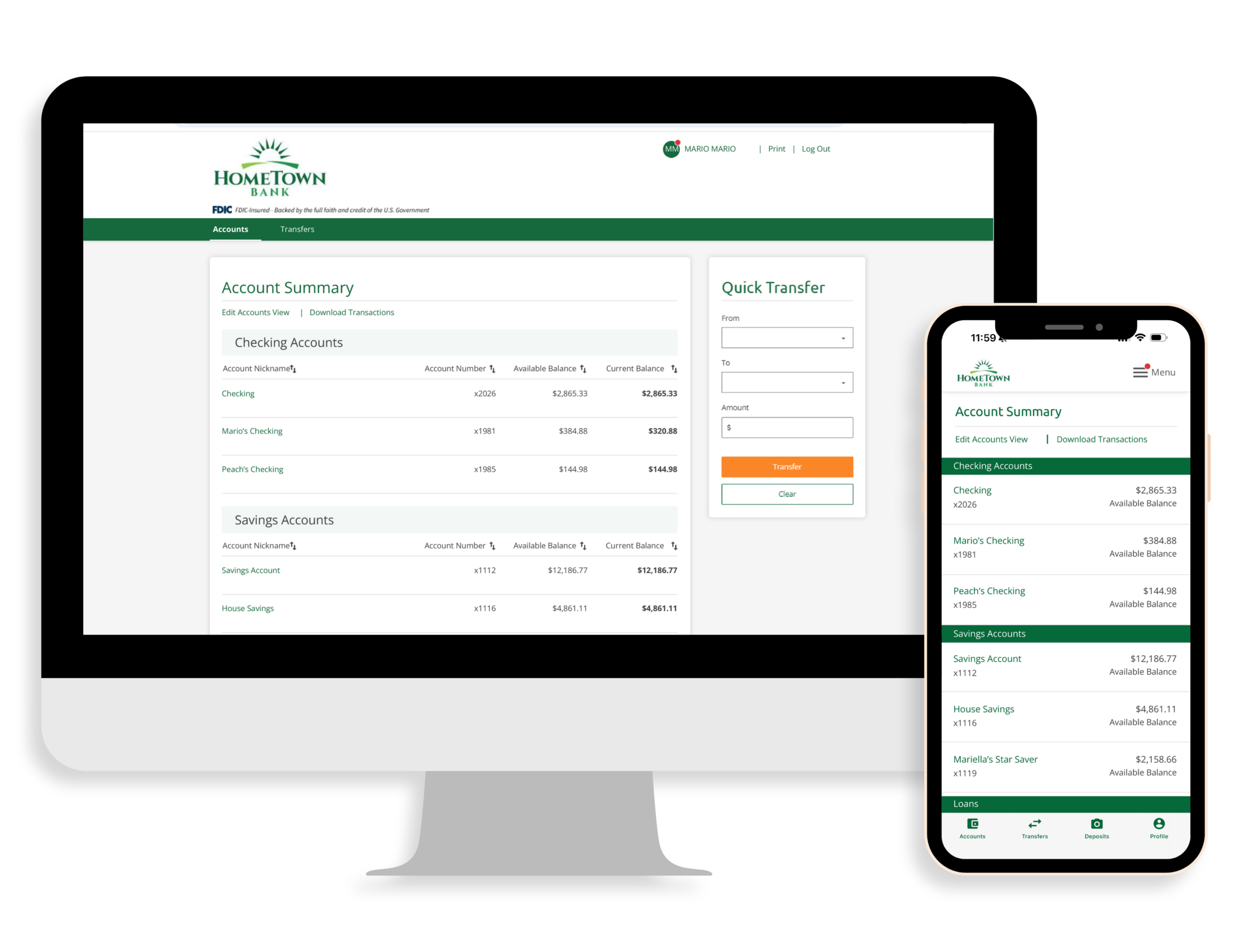
Seamless Access Across Devices

Bank the same way on every device. A smoother, more connected experience, whether you’re on your computer or on the go.
Configure Digital Login Process

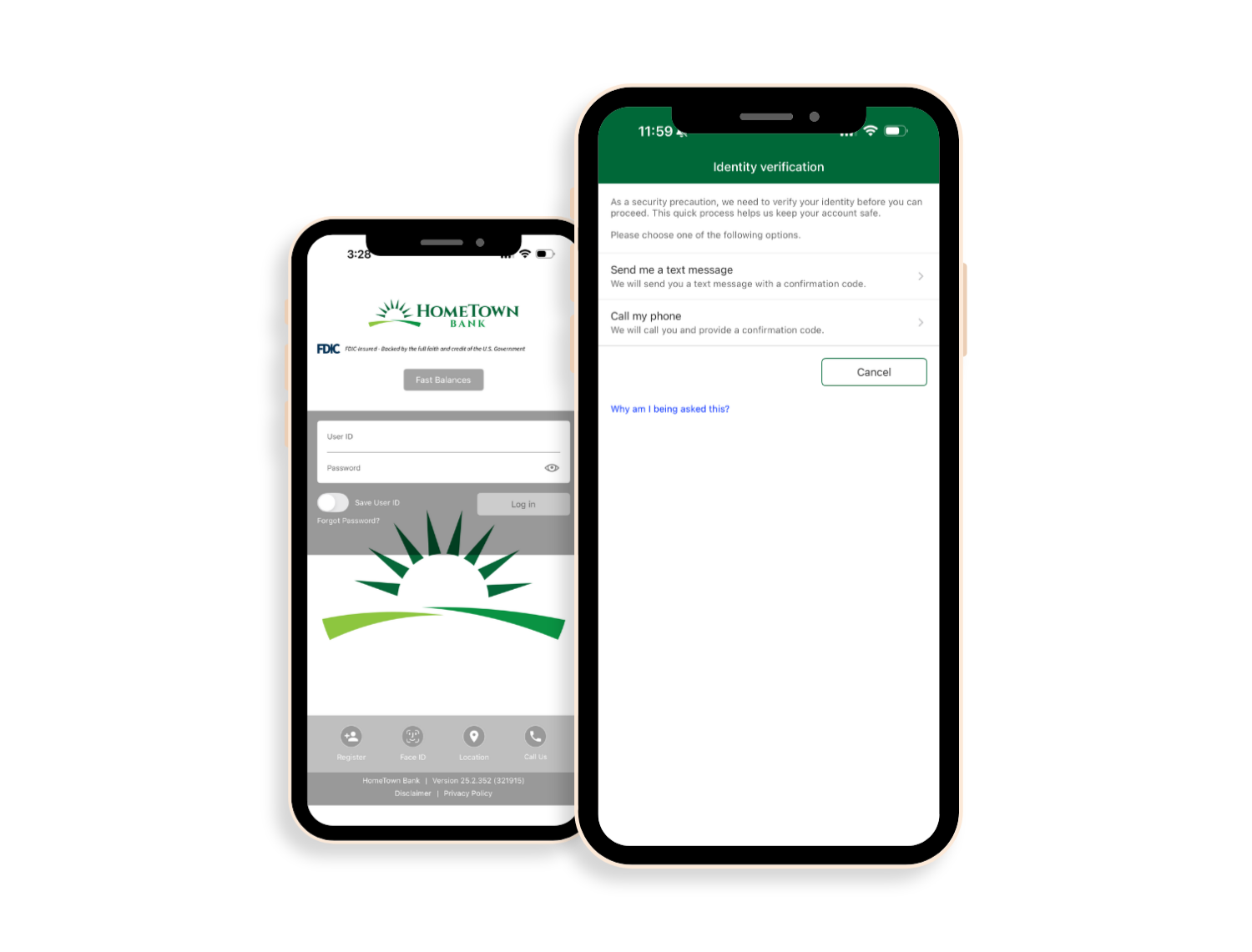
Secure, Streamlined Login

A smoother login experience designed with both security and convenience in mind. Quick verification and an improved password reset process help you get where you need to go without the hassle.
Configure Digital Login Process
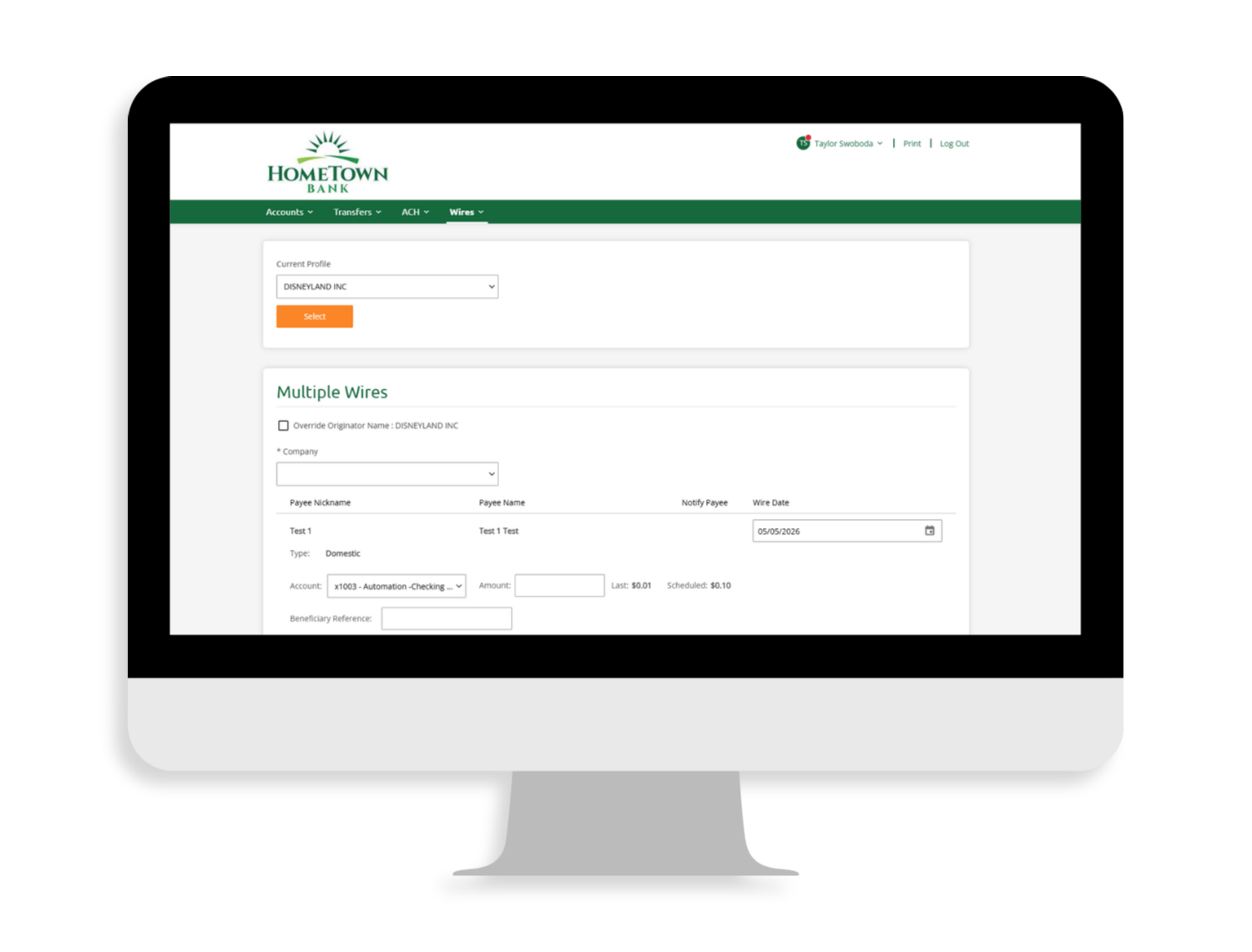
Business Users Wire Screens

Domestic Wire Transfers for Business

Eligible businesses can send domestic wires anytime through online or mobile banking. Simple, secure, and right at your fingertips.
Mobile App with App Store Icon
Already have our mobile app? You’re all set! Just make sure automatic updates are turned on to experience the new platform.

For the first time, business customers will also have access to mobile banking through the HomeTown Bank MN mobile app.

New to mobile banking? Download the HomeTown Bank MN mobile app below and get started in minutes.

FAQs

There are a few important dates to keep in mind as we get ready to launch your new online and mobile banking experience.

Beginning June 22
Personal Users

Personal online and mobile banking will be placed in view-only access beginning at 7:00 am CT on June 22 as we transition to the new system. Full access will return after 12:00 PM CT on June 24 once the updated platform is live.

Please continue to check the website for further updates during the transition.

You will still be able to:

  • Log in securely
  • View live account balances and transaction activity

You will temporarily not be able to:

  • Transfer funds
  • Pay bills
  • Deposit checks via mobile deposit

This temporary change allows us to complete system upgrades behind the scenes. For account activity help during the view-only timeframe, visit or contact your local HomeTown Bank.

Treasury Management Users

Beginning at 7:00 am CT on Monday, June 22, Business Online (Treasury Management) will move to view-only access as we transition to our new system.

The system will be fully unavailable starting at 6:00 pm CT on Monday, June 22.

Full access will return after 12:00 PM CT on June 24 once the new platform is live.

Please continue to check the website for further updates during the transition.

Important things to know:

  • Plan ahead for two days of view-only access. Reminder, the bank is closed on Friday, June 19 for a Federal Holiday.
  • Internal transfer templates will need to be recreated.
  • ACH Items
    • Exisiting ACH transfers, recurring payments, and future-dated ACH transactions will not carry over and must be recreated.
    • Prior ACH transaction history will not carry over – please download any needed records.
    • ACH templates may need to be recreated. We recommend saving your templates and transaction details ahead of time to ensure a smooth transition to the new system.
    • The copy feature will no longer be available in the new system.

Keep an eye on your email for updates with simple steps to help you prepare before, during, and after the transition.

For account activity help during the view-only timeframe, visit or contact your local HomeTown Bank.
Most of your account information will carry over and be ready to go. This includes your bill pay payees, scheduled payments, internal transfers, and eStatement preferences.

Your transaction history in the new system will include the most recent four months of activity as part of the transition.
Previous statements will still be available in the new platform, so you can reference transactions beyond the four-month history window at any time.
If you’d like to keep records beyond that, we encourage you to download your account history before June 21, as earlier transaction history will not be available in the new platform.

Note: Your current account alerts (low balance, transaction posting, etc.) will not transfer to the new platform. We recommend saving or noting these before June 21, as you’ll need to set them up again after the update.

No, your username and password will stay the same.

When you log in for the first time after the update, you’ll be asked to verify your identity using a one-time security code. You can choose to receive this code by text message or phone call. Enter the passcode and submit to complete a secure login.

If you’re not sure what your username is, give your local HomeTown Bank a call at (952) 209-9981 and we’ll be happy to help.

If you’ve forgotten your password, you can reset it by selecting “Forgot Password” when logging in after June 24. Just follow the steps, and you’ll be back in no time.

Nope! You’ll continue using the same mobile banking app for your account access.

When the update becomes available, simply update your app through the App Store or Google Play. If you have automatic updates turned on, you may not need to do anything at all.

If you normally log in using Face ID or fingerprint, you’ll just need to enter your username and password the first time you log in after the update.

After that, you can turn biometrics back on for future logins.

Your existing bill pay payees and scheduled payments will carry over. You’ll be able to pick right back up where you left off once the new system is live.

We’ve got you! Our team will be ready to help answer questions, walk you through the new experience, or get anything set back up. You can stop in to your local HomeTown Bank or give us a call at (952) 209-9981 for further help.

“The personal touch is off the charts at this bank, I’m so impressed and would highly recommend this branch to anyone.”

– Molly W. • Jordan, MN

Come home to HomeTown

HomeTown Bank